CivicScience
CivicScience, Inc
UX Audit
Information Architecture
SaaS Product/UX Design
Google Tag Manager/Analytics
Internal Stakeholder Interviews
UX Workshops
CivicScience is an opinion analytics platform that conducts large consensus-representative surveys across wide US demographics. These surveys are voluntary & unincentivised(to have no bias in psychographics).
CivicScience uses the InsightStore™(SaaS product) to analyze those opinions, discover market and cultural trends before they grow, and accurately predict future consumer behaviors and market outcomes.
I was a part of the UX team lead by a principle UX lead and a senior UX designer. The below are some of my contributions playing a part in the complex InsightStore™'s version 2 development. It being a complex analytics product, it was a steep learning curve in gaining a comprehensive understanding of the all the product lifecycle and user journey steps. Thanks to my UX leads, for crafting a very helpful onboarding experience.

Question Search
USABILITY IMPROVEMENT
While the SaaS product - InsightStore™ was built on rich, high-value data, but a major usability hurdle was that external customers struggled to navigate it independently. Often relying on CivicScience's Account Managers to bridge the gap. One of the most important tools being question search.
Supporting our UX Principal, I contributed to targeted sections of the redesign aimed at dismantling these barriers. My focus was on helping transform our complex information UI components into a more accessible, experience that reduced friction for both the user and our internal teams.
Question search v1

My task contributions:
-
Designing filters & calendar picker UI
-
Dropdown button states with notification indicators
-
Identification of tooltip gaps

Question search v2
Information Architecture restructure of Segments (Analysis tool)
USABILITY ENHANCEMENTS
To streamline the user journey, we unified the search and filtering patterns across both question search tool and the segments tool, establishing a consistent architectural language that makes the platform more intuitive to navigate.
The update consolidated segments while introducing advanced filtering, favoriting, and pagination to make finding specific data points have consistent UX patterns. By organizing content into Syndicated, Custom, and Shared categories, we created a clear structure that helps users quickly identify exactly which insights are available to them.

IA restructure based on Stakeholder interviews, tree tests. Blurry image to protect any sensitive info.

Segments v1

Segments v2
Contrast checking for gradiented buttons
ACCESIBILITY REPORTING
Gradiented buttons were used on the homepage of the InsightStore™ to increase affordance.
To ensure our gradient buttons remained inclusive rather than just aesthetic, I utilized WCAG-compliant contrast checkers to audit legibility across the entire color transition. By testing the text against both the lightest and darkest points of the gradient, I guaranteed that our primary calls-to-action met accessibility standards for all users.
The findings were reported to the lead to then implement our design system's atomic & component level changes to gradient colors, text, icons.


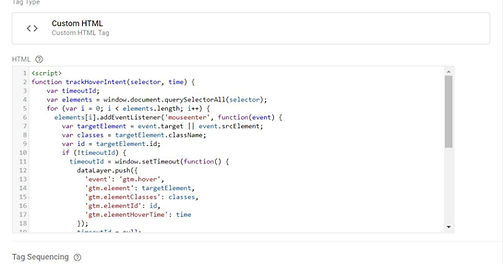
Google Tag Manager
ANALYTICS TAGS SETUP
A fun side-project in collaboration with the product dev. team was setting up Google Tag Manager for analytics tracking to determine user flows and identify user journey paths and hurdles in using the new InsightStore™ product.
The setup was initiated, but was still in early stages at the time. It was fun learning a new tool.